


Offering a Sweeter
Way to Order Online
E-Commerce UX Redesign

OVERVIEW
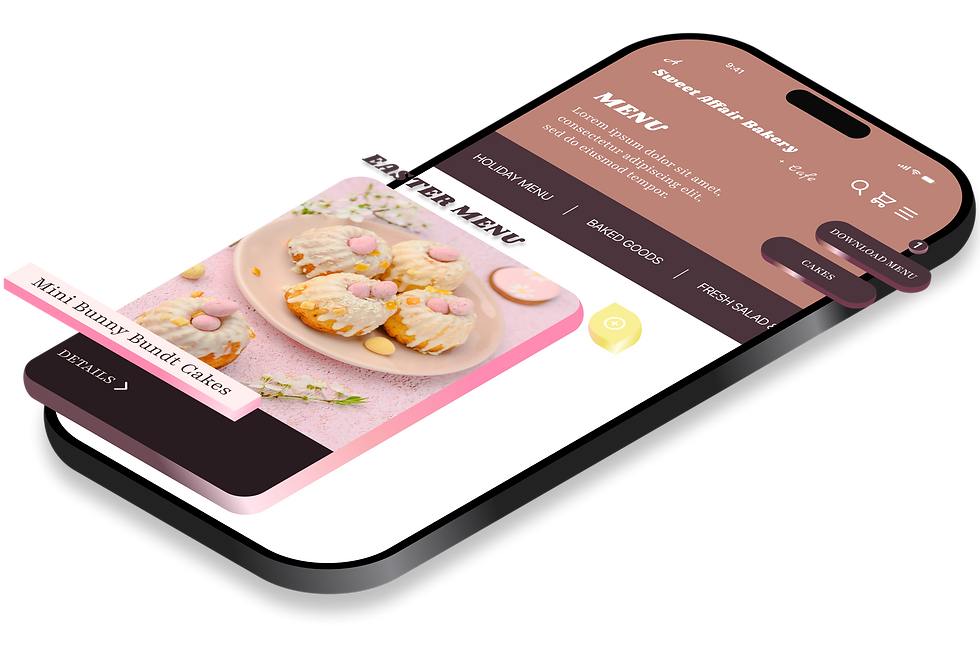
For years, A Sweet Affair Bakery in California’s East Bay has been celebrated by locals for artisanal quality. But their website failed to reflect the same care as the rich products they offer, creating a gap between brand reputation and online experience.
Users encountered friction; unclear information hierarchy with disconnected pathways made it difficult to complete key tasks efficiently, while reliance on a third-party ordering system disrupted the user journey altogether. These issues also revealed a lack of cohesive brand identity, contrasting sharply with the warmth of the in-store experience.
The goal of this project was to improve online usability and brand cohesion. This case study presents a complete desktop and mobile website redesign to meet the high expectations of customers who call A Sweet Affair: “the best bakery in California.”
ROLE
UX/UI Designer
— end-to-end design
User Research & Strategy
— usability testing
— empathy maps
— personas
— open card sorting
— user flow mapping
Testing & Iteration
— user exp testing
— a/b testing
— data analysis
Visual & Interaction Design
— moodboard
— styleguide
— components
— wireframes
— prototype
TIMEFRAME
I. Jan – March 2025
II. April – May 2025
TOOLS
Figma, FigJam,
& Excel


CHALLENGES
No Direct Client Input
— Defined goals through user research
Limited Data
— Generated insights via usability testing
Aesthetic Balance
— Modernized interface without losing warmth
End-to-End Ownership
— Led research, design, and iteration solo
OBJECTIVES
Identify User Needs
— Evaluate, test, and categorize core needs
Strengthen Brand & Layout Cohesion
— Unify visual system across devices
Create Unified Menu System
— Merge browsing and ordering into one flow
Iterate & Validate Improvements
— Test and refine with measurable outcomes
DESIGN PROCESS
User Centered Design




Research
Design
Evaluate
Iterate

Methodology Spotlight
Research insights became user interface and experience — translating qualitative feedback into measurable design improvements.
RESEARCH
BACKGROUND
Research began with a heuristic evaluation of A Sweet Affair Bakery’s legacy website to establish a framework for testing. By analyzing ease of navigation, task completion within a third-party ordering system, and brand representation, four key heuristic principles emerged to guide subsequent testing:
— User Control
— Error Prevention
— Efficiency of Use
— Aesthetic Design
The goal of this research was to uncover test-based insights for user experience and determine whether a redesigned website could resolve those core problems. To measure outcomes, three performance indicators (KPIs) were tracked:
— Steps Required to Complete Order
— Time Required to Complete Order
— Enjoyability Rating (1–10)
SEQUENCE
Quantitative & Qualitative Data Synthesis
Usability Testing
Empathy Mapping
Persona Creation
Card Sorting
The first usability test focused on the legacy website, observing participant behavior, task completion, and points of friction. Findings were visualized through empathy maps and a pain/gain list. This qualitative data was then synthesized into user personas. Finally, persona data was categorized through an open card-sorting activity.
Three participants representing key demographics of A Sweet Affair Bakery’s suburban customer base took part in two of the three tests: a usability test of the legacy website, a usability test of the redesigned website, and an A/B test comparing both experiences. Each participant reflected a distinct user type:
— Participant 1:
young mother and long-time weekly customer
— Participant 2:
college man and on-the-go delivery driver
— Participant 3:
college woman and dine-in visitor
SCENARIO & QUESTIONS
Usability Testing
Scenario
“You are eager to place a pickup order from A Sweet Affair Bakery’s online menu. Please search their website, order a cupcake, and stop at the checkout page.”
Question 1: Efficiency
How effectively can users locate and complete an order using the site’s existing navigation?
Question 2: Usability
How many steps or errors occur before users successfully complete the ordering task?
Question 3: Emotion
What emotional states (frustration, ease, satisfaction, confusion) emerge during the interaction?
Question 4: Perception
How does the aesthetic design influence user perception of A Sweet Affair Bakery’s brand?
INSIGHTS & THEMES
Legacy Website Insights
Testing revealed consistency in user experience. For example: across all sessions, moments of visible confusion were repeatedly observed, two of the three participants made navigational errors, and all three paused during key ordering tasks, momentarily losing track of the scenario flow. Results from these tests informed the following insights, derived from synthesis and open card sorting:
— Visual Appeal & Clarity: users missed key information due to unclear visual hierarchy
— Visibility & Descriptions: menu items lacked clear labels and supporting imagery
— Direct Ordering Functionality: the ordering flow felt fragmented and unintuitive
— Device-Friendly Navigation: site layout created friction and slowed task completion
— Brand Transparency: site failed to reflect the bakery’s handcrafted quality
Redesigned Website Insights
Participants followed the redesigned user flow with noticeable ease. For example: although one of the three participants recorded a longer task completion time, nobody encountered errors, dead ends, or unintended redirections. This clearer information hierarchy supported users across varying degrees of technical comfort. The following insights summarize key improvements observed during testing:
— Seamless Flow & Visual Hierarchy: users followed the redesigned interface without hesitation or confusion
— Clear Item Labels & Descriptions: menu paired labels with imagery that supported quick purchasing decisions
— In-site Menu Feature: integrated menu removed redirections, users browse and order within same flow
— Simple User Navigation: participants moved fluidly between pages and features without error
— Quality Brand Identity: refined color, typography, and imagery conveyed the bakery’s high-quality offerings
Design Themes
A Sweet Affair Bakery’s core brand values — being family-owned, using quality ingredients, and crafting every product from scratch — served as interpretive anchors when evaluating insights from the legacy website’s usability test. Solutions to these insights became themes that translated user needs into design direction. The following are the five themes that emerged:
— Photos, colors, and layout should inspire appetite and be easy to process at a glance
— All menu items should be clearly listed, well-described, and include images
— Users want to order straight from the menu page without clunky re-direction
— Mobile and desktop experience should be intuitive and fast for all user types
— Users expect to see every item available and what makes their bakery unique
“It looks like an old business site, not the bakery I love to be honest.”
— User Three (Legacy Site)
“The food looked so good! It was super easy to order and made me hungry.”
— User Three (Redesigned Site)


a/b TEST OUTCOMES | LEGACY vs. REDESIGN
These outcomes compare usability data — indicating measurable improvements that validate the redesigns:
+117%
Increased Enjoyability
4 → 8.7 out of 10
83%
Reduced Task Time
91 → 15.3 seconds
5.7
Steps to Order
(unchanged)
PROJECT IMPACT
Effortless Navigation
Users completed tasks quicker despite the same number of steps. Clearer visual and information hierarchy and a prominent ORDER NOW call-to-action eliminated confusion, wandering, and dead ends. Users described the experience as “easier.”
Eliminated Frustration
Users’ primary legacy site pain point — uncertainty around where to navigate — disappeared. Participants no longer paused, backtracked, or became stuck. Users described the experience as something that “just makes sense.”
Enjoyable Experience
Users’ qualitative feedback described the redesigned site as “more visually appealing,” “modern,” and “high-quality,” transforming the ordering experience into one that felt intuitive and pleasant.
DELIVERABLES
EMPATHY MAPS

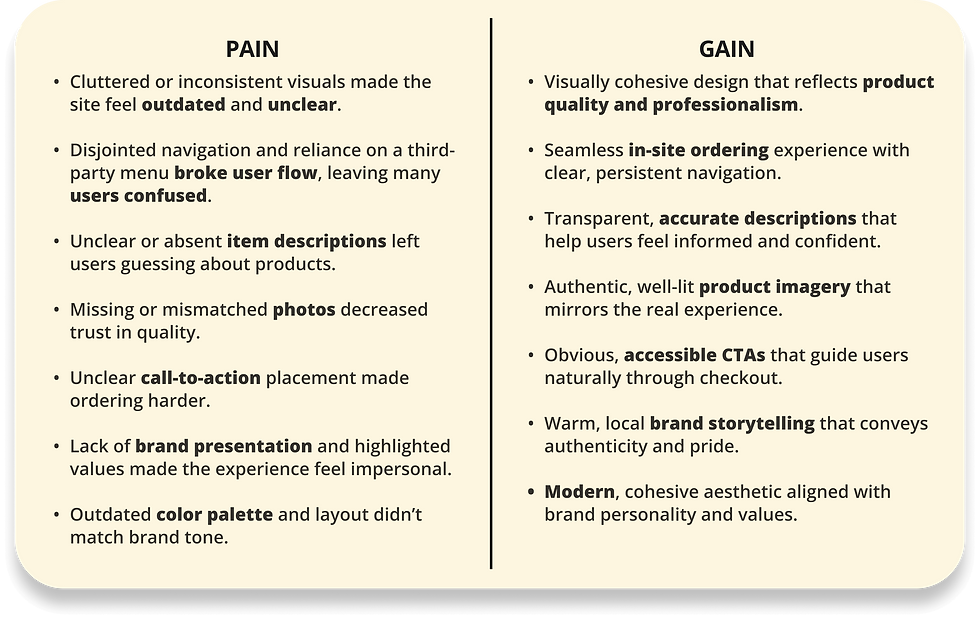
Summary
Insights from usability testing were visualized across four key dimensions: what users said, thought, felt, and did at each stage of their experience. This framework revealed pains and gains that clarified user frustrations and values, forming the foundation for persona creation.
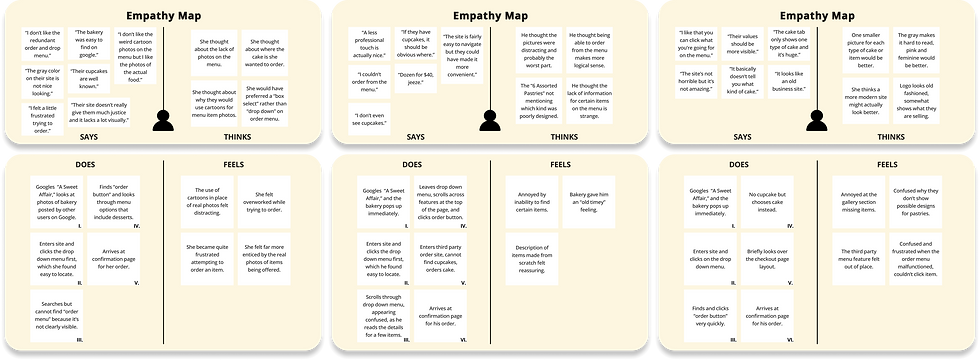
USER ONE
USER TWO
USER THREE
PERSONAS

Summary
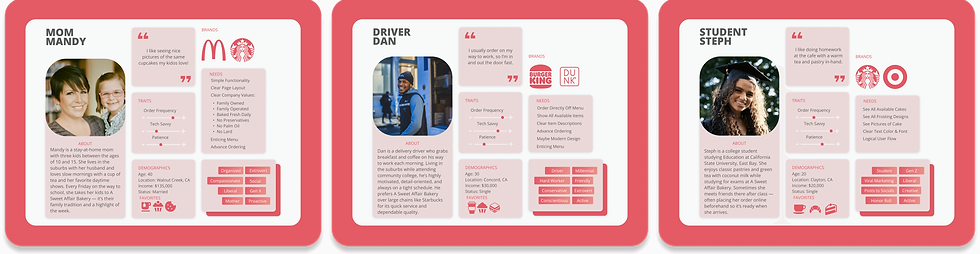
Empathy map findings were translated into three user types representing A Sweet Affair Bakery’s customer base. Each persona provided a human-centered framework grounded in real user experiences, with key data points later categorized through open card sorting.
OPEN CARD SORTING

Summary
Persona data revealed patterns organized into five categories: menu visibility and descriptions, visual appeal and clarity, direct ordering functionality, device-friendly navigation, and brand transparency. Themes from these categories guided subsequent design stages, including the user flow.

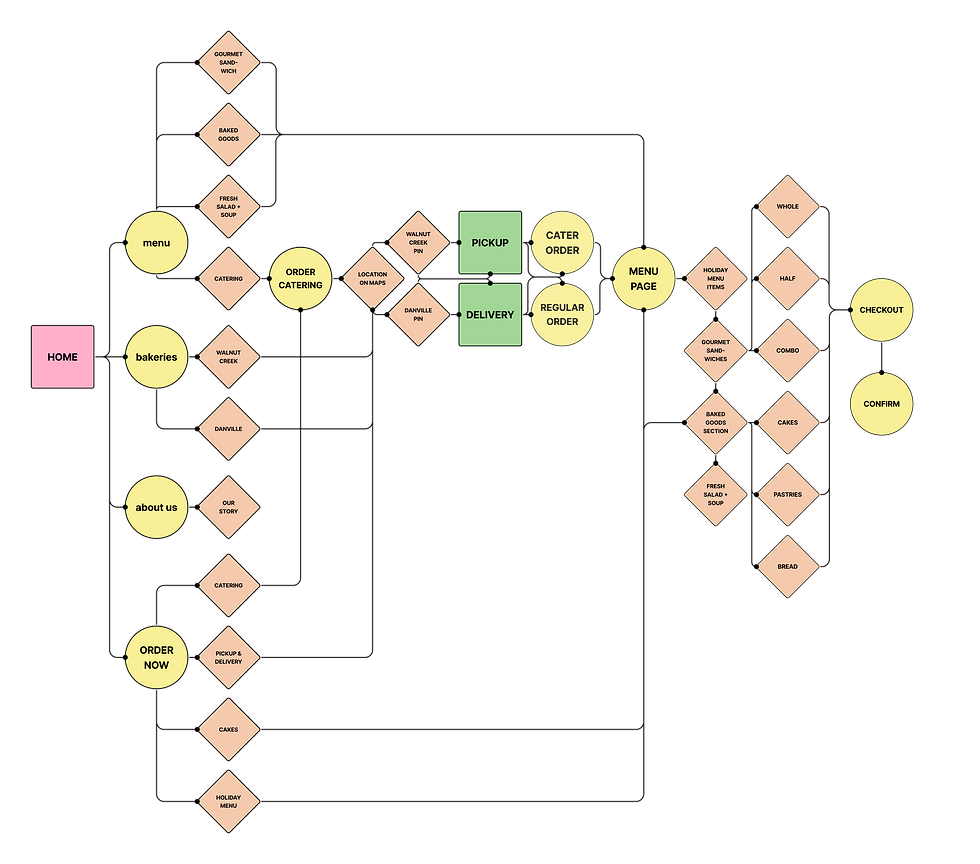
USER FLOW

Summary
Centering user pathways around a simple ordering journey resolved core usability issues — including dead ends, redirections, and user errors — marking one of the most meaningful improvements in the redesign.
A prominent call-to-action supported this shift, with prototype tests validating the decision: when instructed to place an order, every participant began by clicking ORDER NOW, confirming that the redesigned information architecture and visual hierarchy effectively guided users through menu discovery, product selection, and checkout.
DESIGN SYSTEM

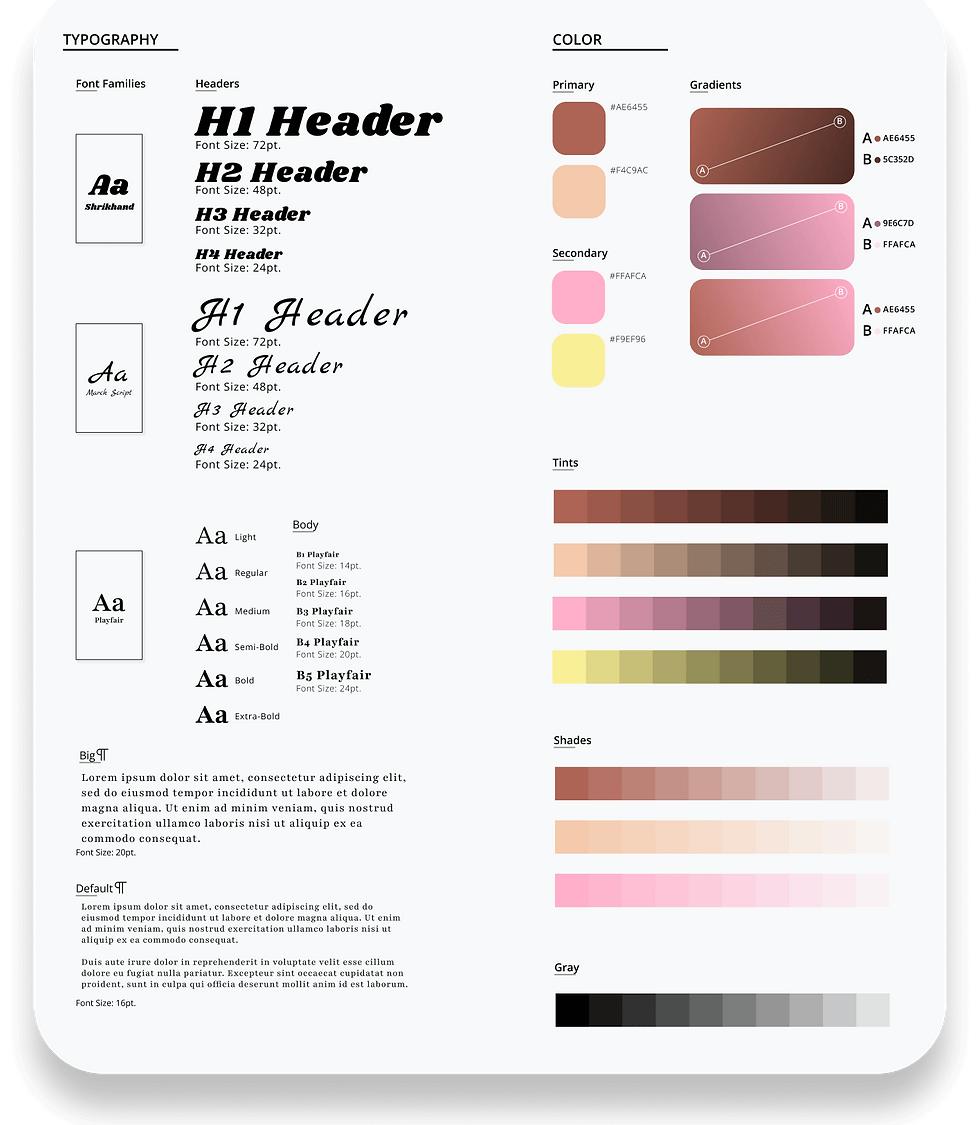
Summary
A Sweet Affair Bakery's user interface translated the brand’s identity into a cohesive visual language — replacing the legacy site’s plain grays with a balance of modern character and comforting warmth.

— Moodboard established early visual direction, defining the emotional tone of the redesign.
— Style Guide formalized typography, color, and layout rules across devices.
— Component Library applied the structural rules of the style guide to modular UI elements.

LOW - FIDELITY
WIREFRAMES

Summary
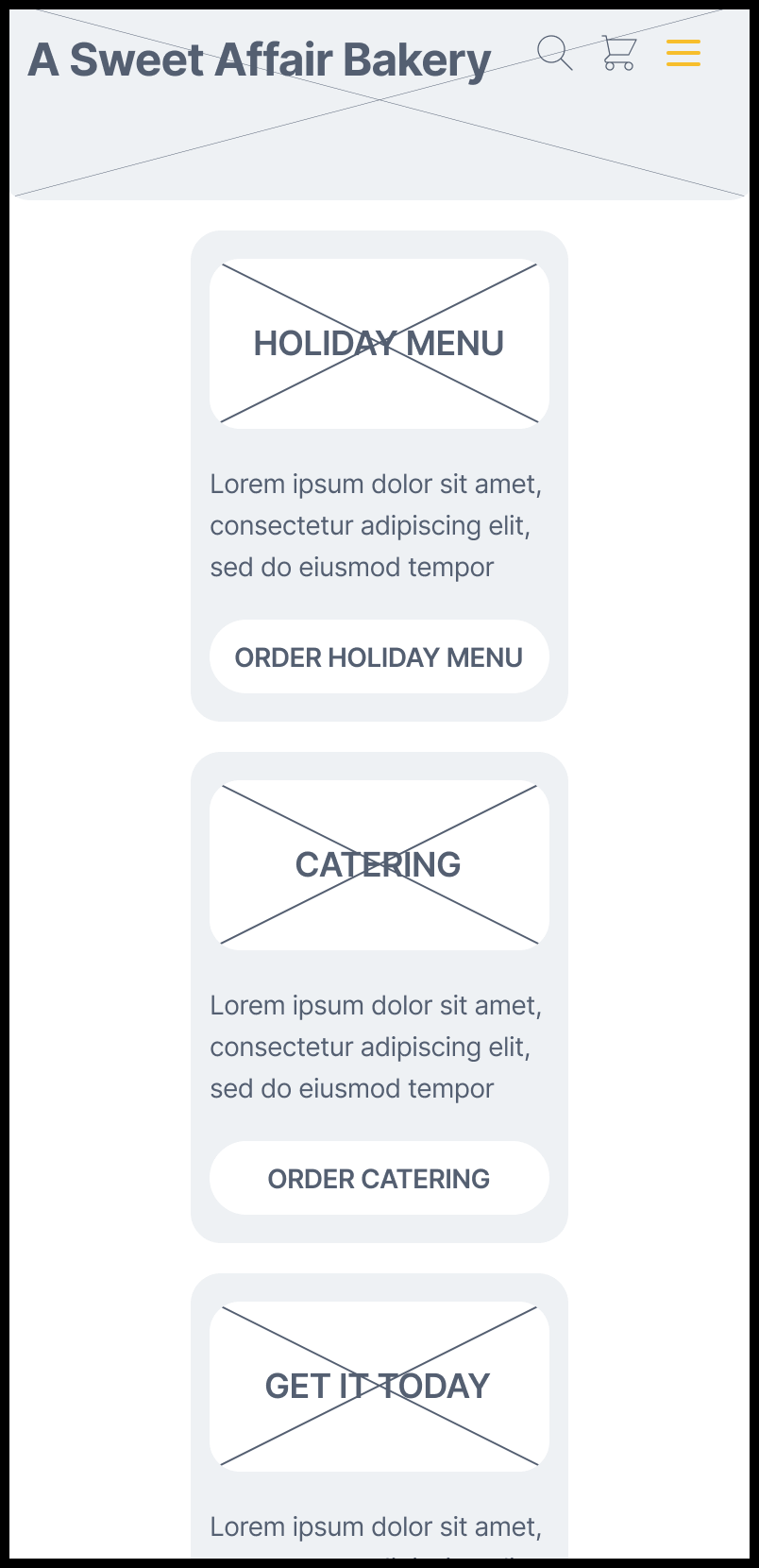
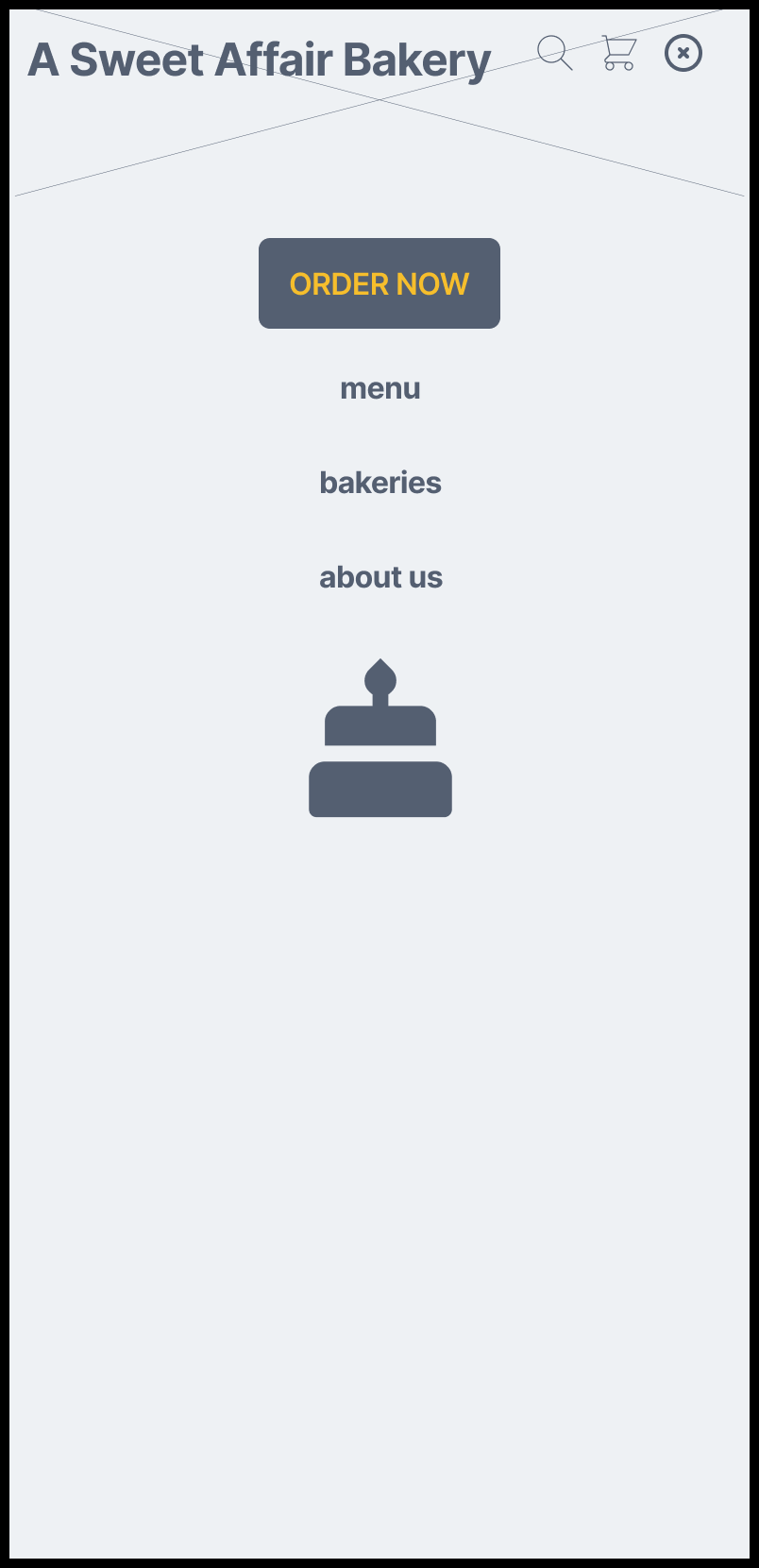
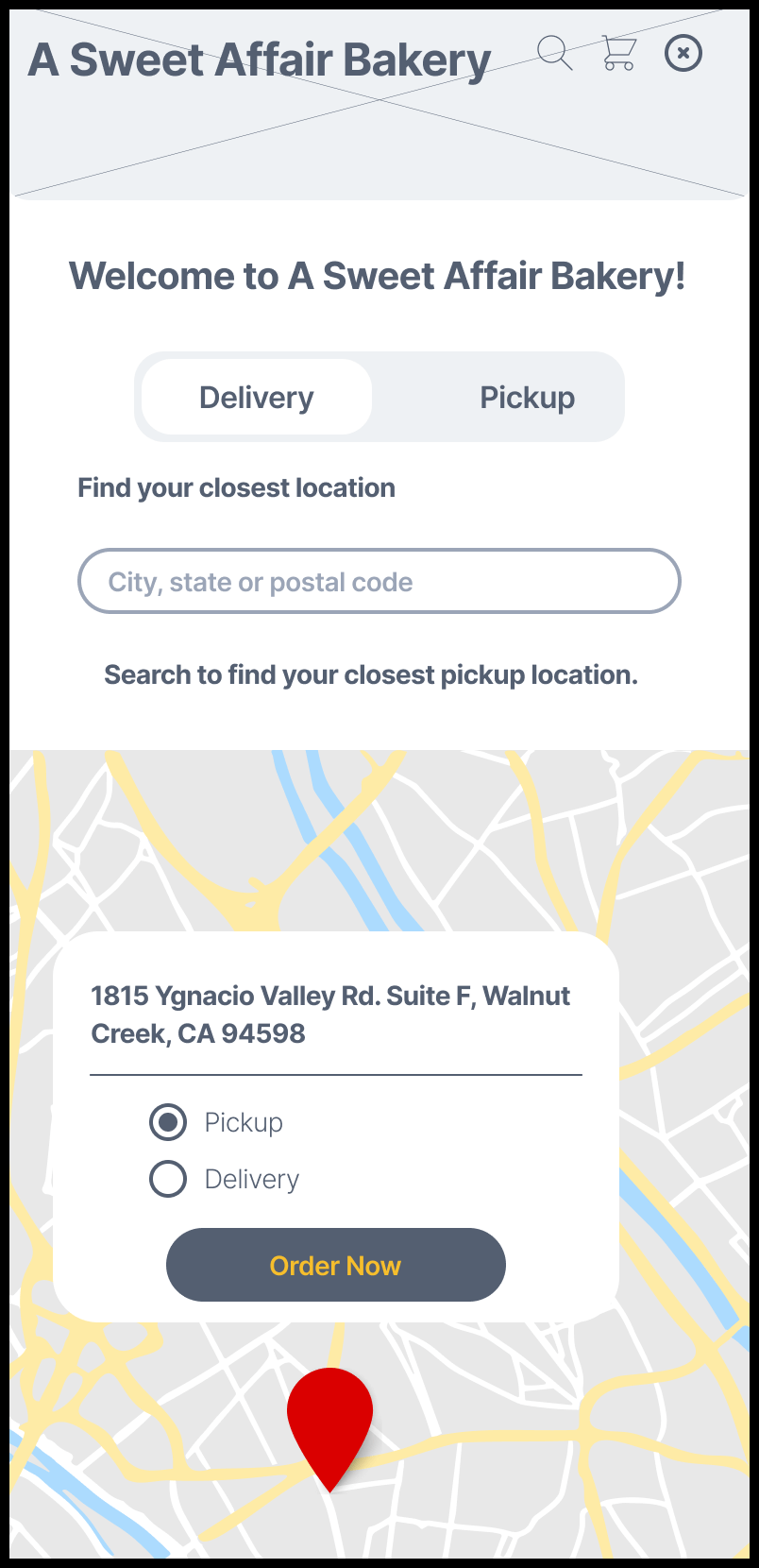
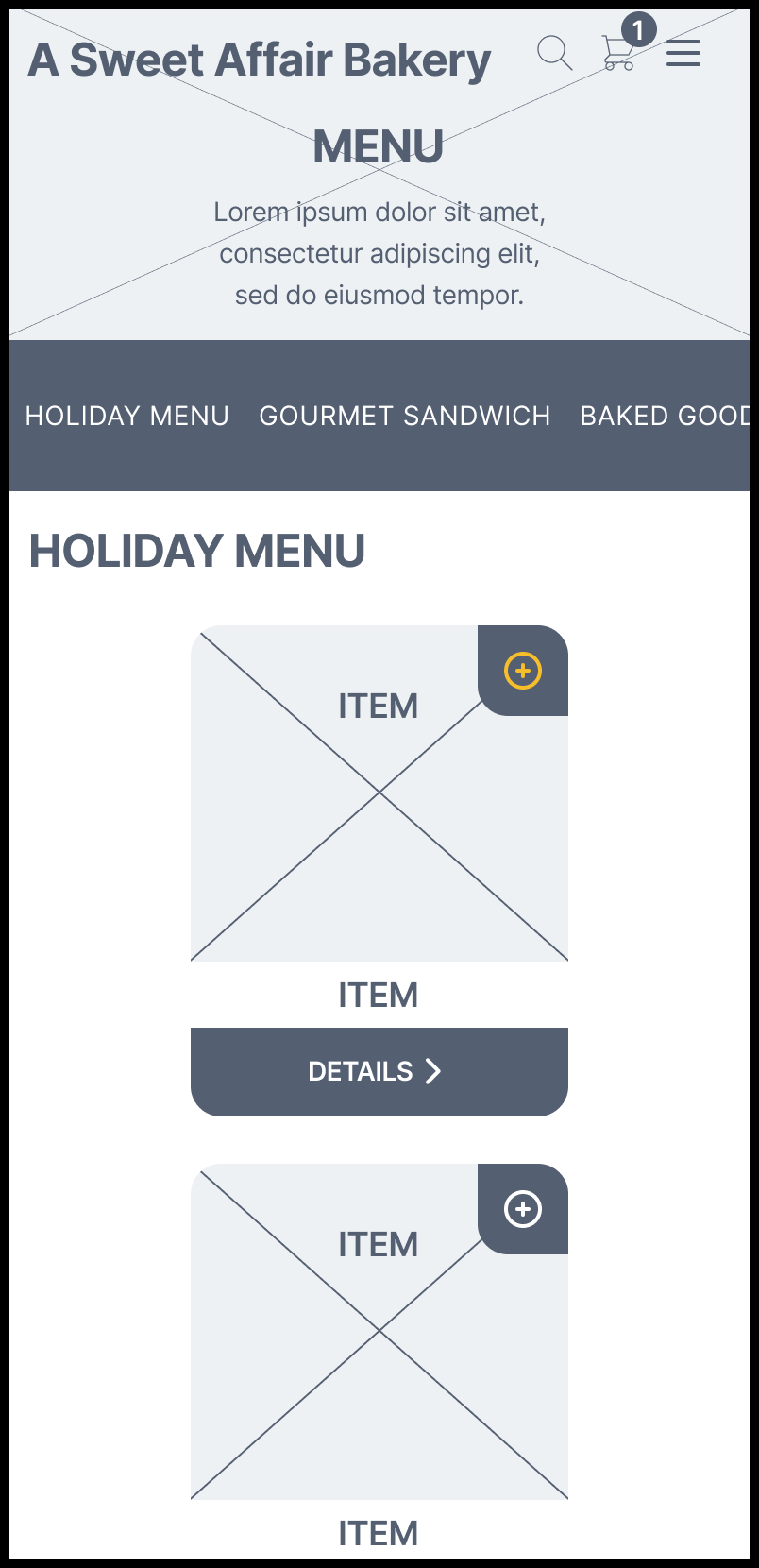
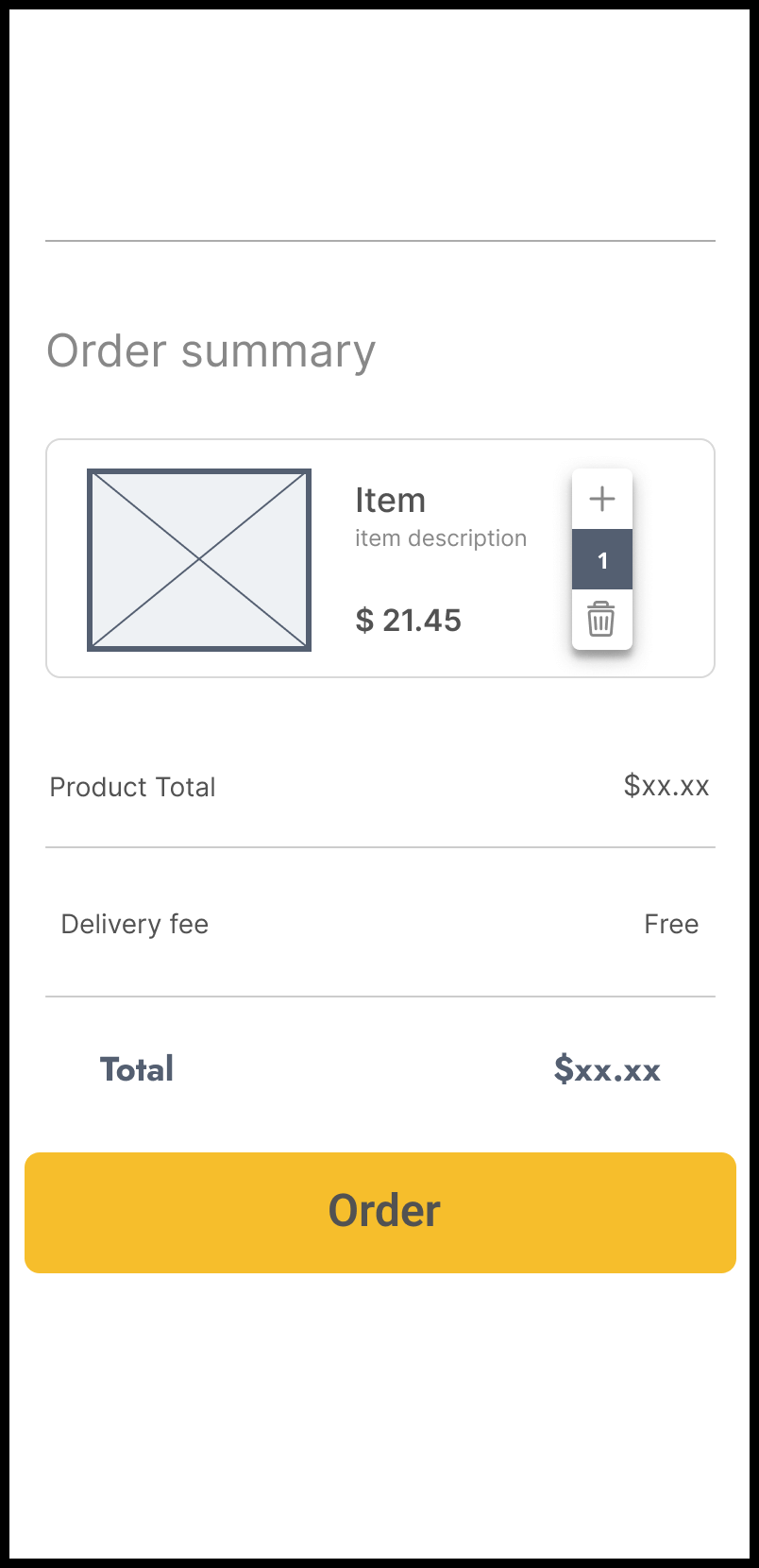
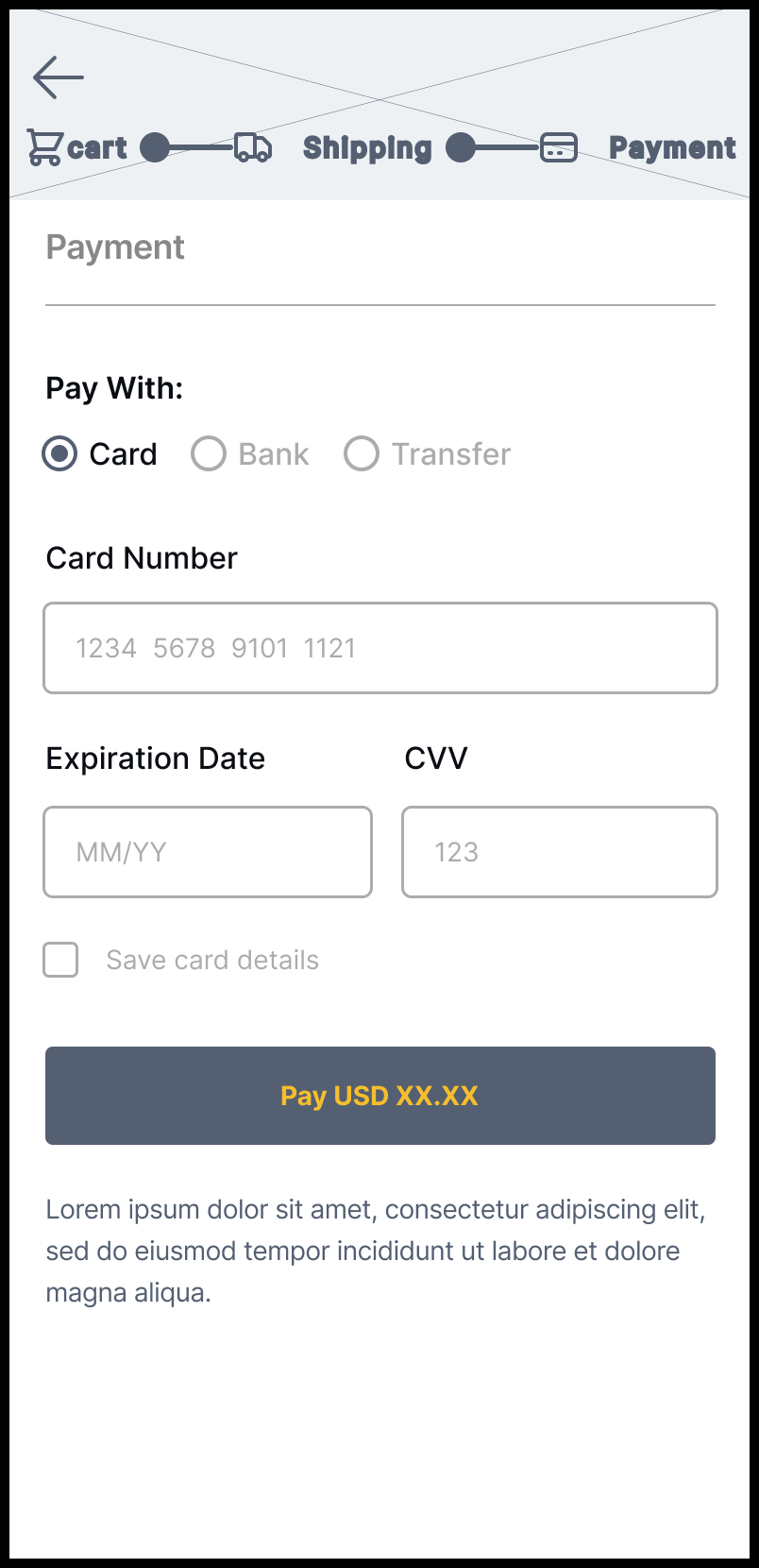
A Sweet Affair Bakery’s layout established a seamless ordering journey by prioritizing simple, task-oriented navigation and resolving issues uncovered during usability testing. This framework guided the interaction details implemented in the high-fidelity mockups.
Mobile
HOMEPAGE
Hero
HUB
Navigation

MODAL
Options
LOCATION
Map
MENU
Catalog
SUMMARY
Order
CHECKOUT
Payment

CONFIRMATION
Complete
Mobile
(Additional Homepage Frames)
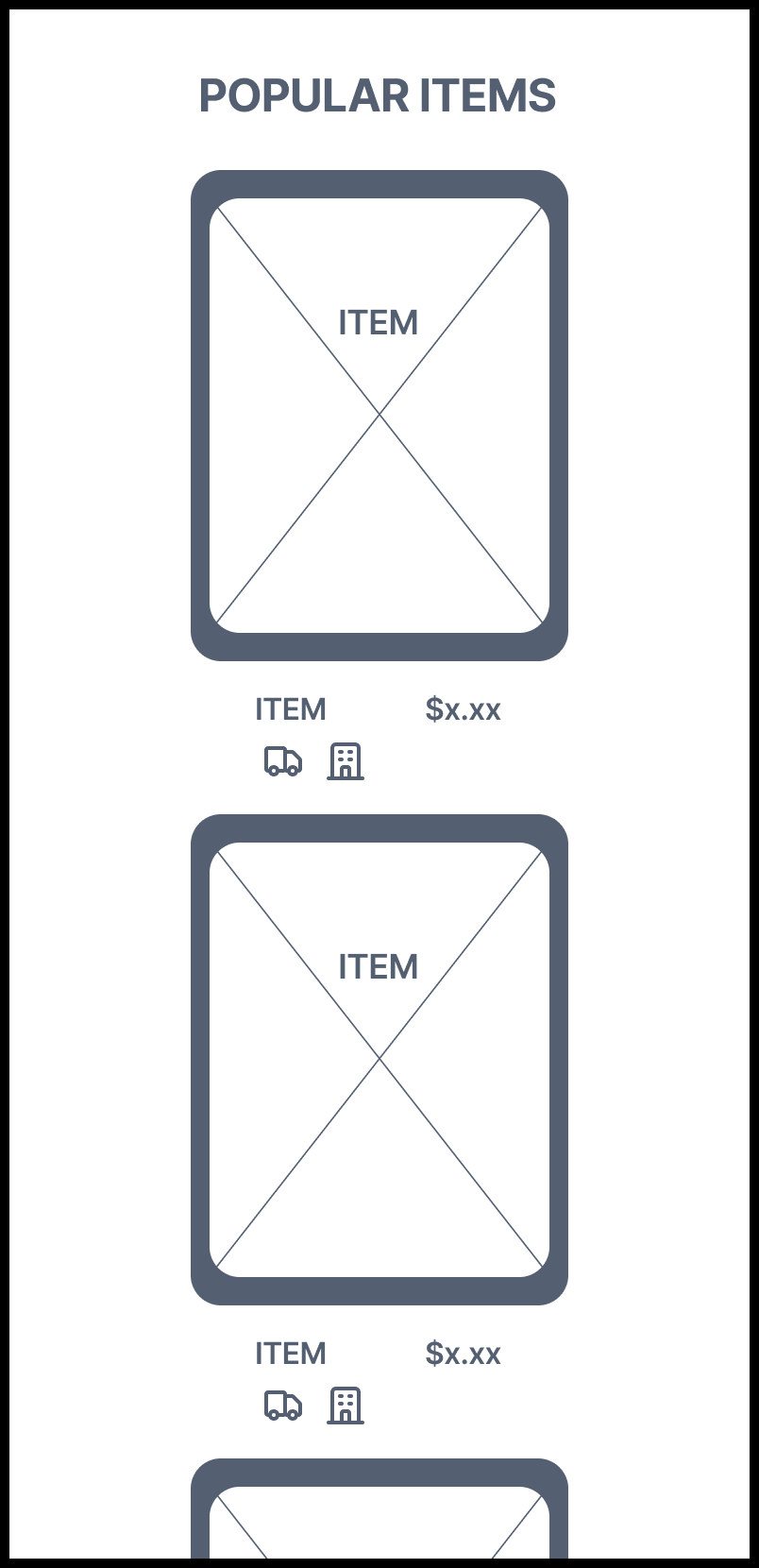
HOMEPAGE
Content
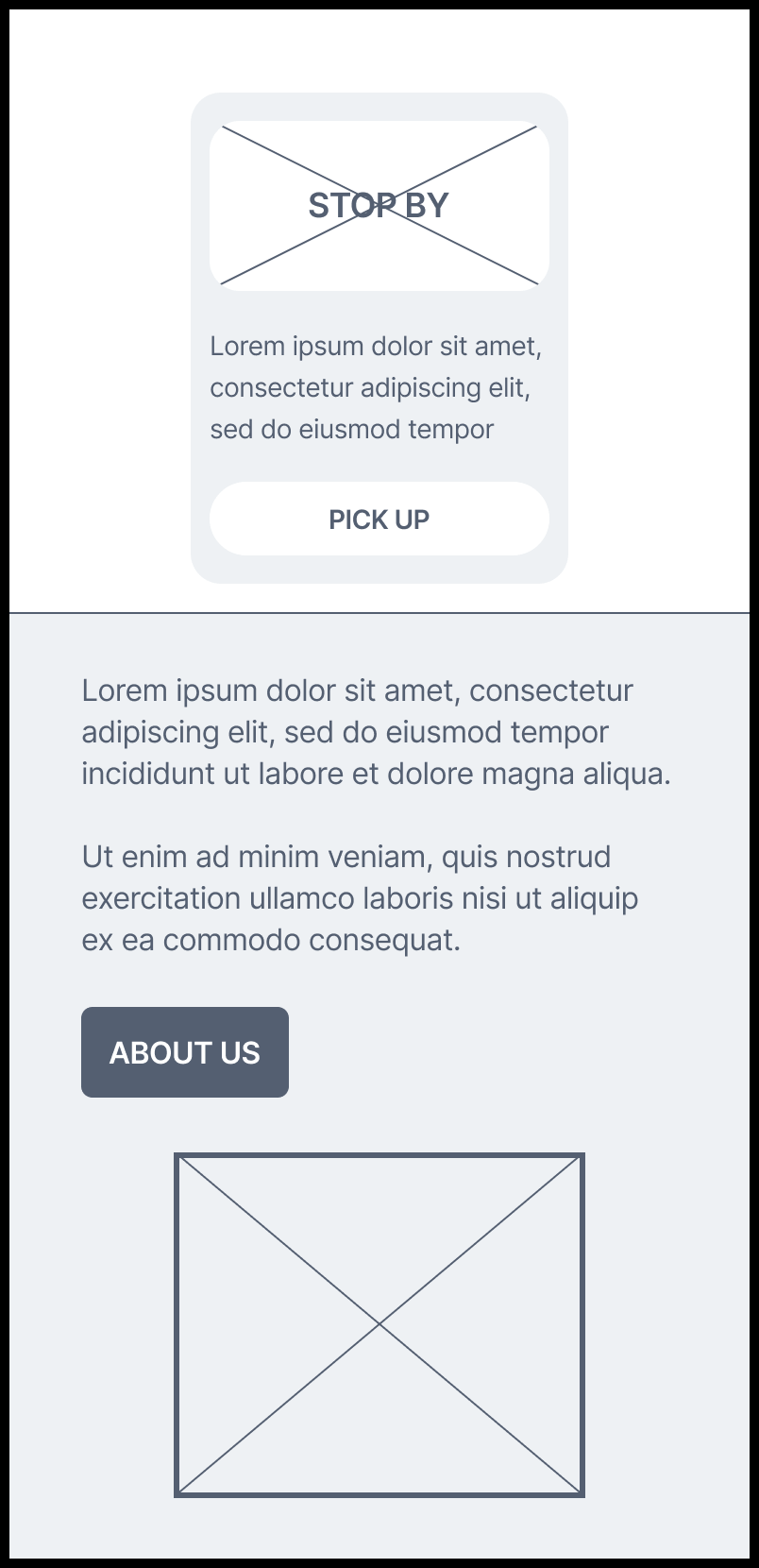
HOMEPAGE
Content

HOMEPAGE
Content
Desktop

HOMEPAGE
Hero
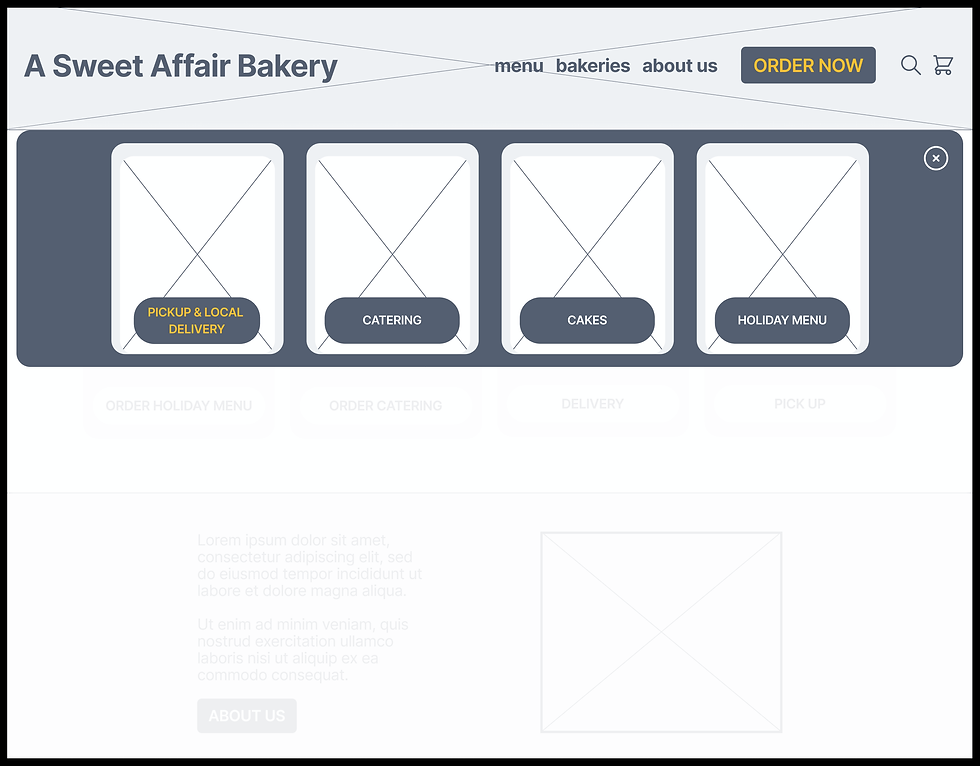
HOMEPAGE
Dropdown
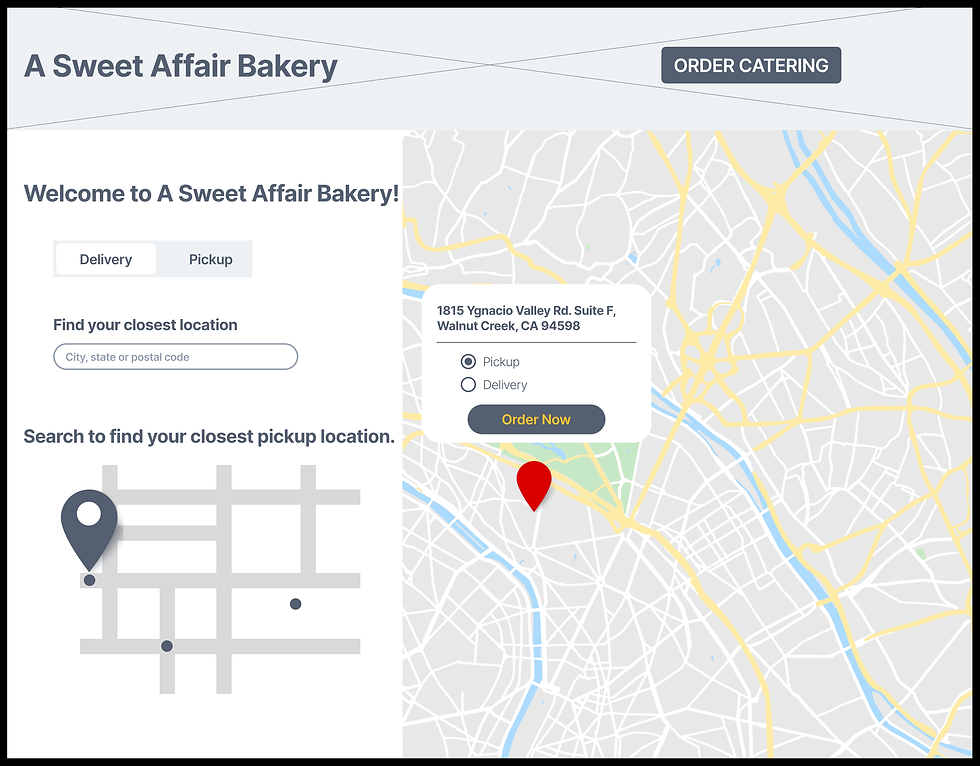
ORDER LOCATION
Map
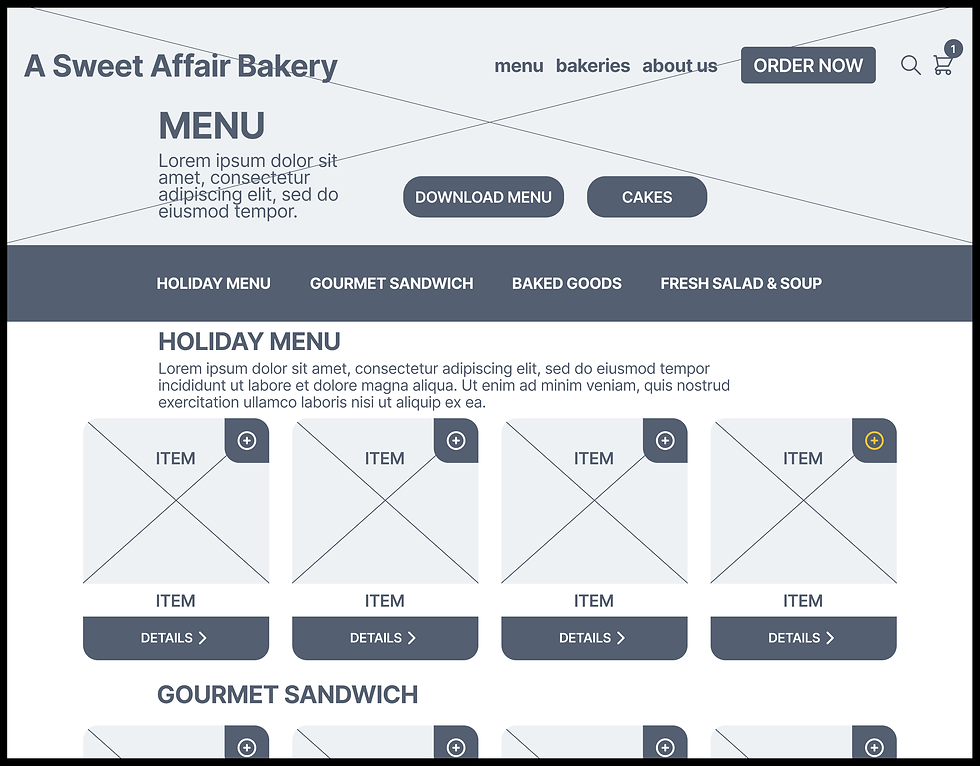
MENU
Catalog
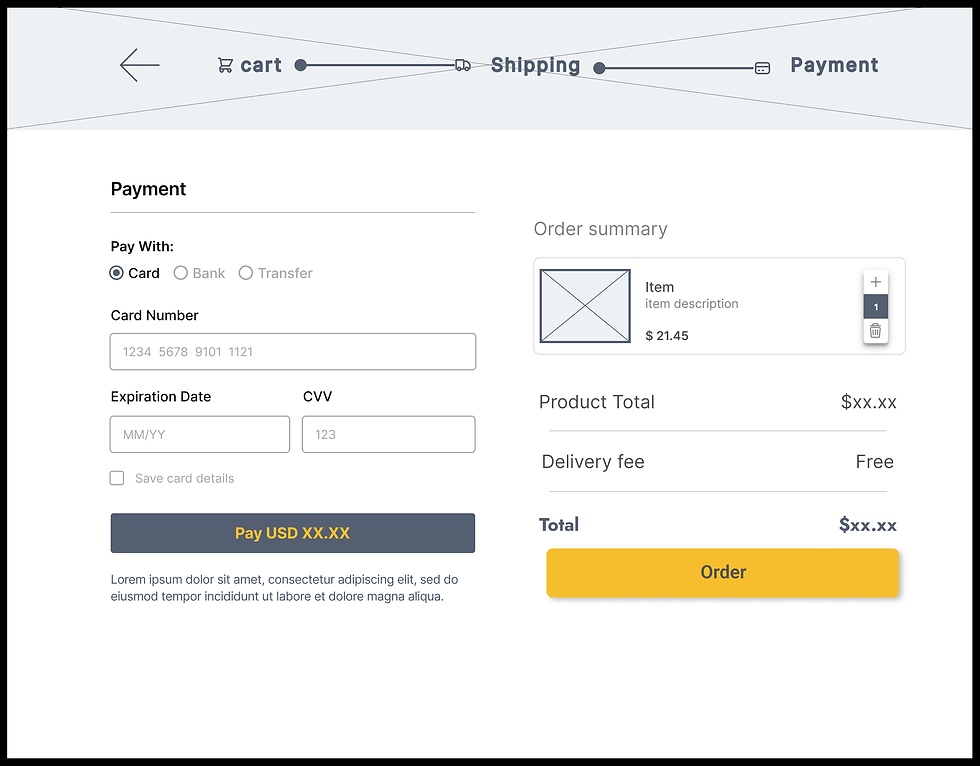
ORDER
Checkout & Summary
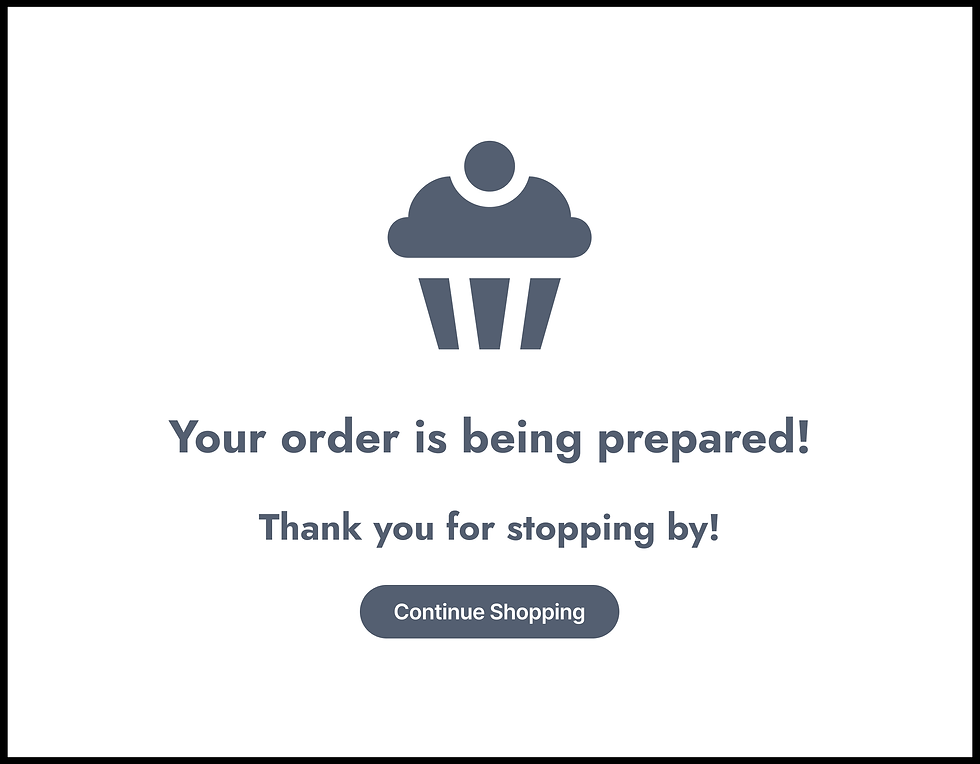
CONFIRMATION
Complete
Desktop
(Additional Homepage Frame)

HOMEPAGE
Content
HIGH - FIDELITY
MOCKUPS

— WEB PAGES —
Primary
Homepage
Menu
Item Details
Checkout
Dropdown
& Modal
Supporting
Order Hub
Locations
Confirmation
Summary
Annotations highlight key design decisions and iterations for the high-fidelity mockups.
Homepage

“Their values should be more visible.”
— User Three (Legacy Site)
Annotation
Instead of relegating values to secondary pages like the legacy site, the redesign elevates them to the homepage hero — Family Owned & Operated, Quality Ingredients, and Small Batch & From Scratch. Handcrafted quality and clear calls-to-action are communicated at a glance.
Insight
— Brand Transparency:
legacy site failed to reflect the bakery’s handcrafted quality
Theme
— Users expect see every item available and what makes their bakery unique

“Their site doesn’t really give them justice and it lacks a lot visually.”
— User One (Legacy Site)
Annotation
The legacy site lacked integrated product imagery and isolated their photo gallery on a separate page. The redesign aligns visuals with the ordering journey — creating a more appetizing experience that invites users to explore seasonal offerings on the menu from the homepage.
Insight
— Visual Appeal & Clarity:
users missed key information due to unclear visual hierarchy
Theme
— Photos, colors, and layout should inspire appetite and be easy to process at a glance
Menu
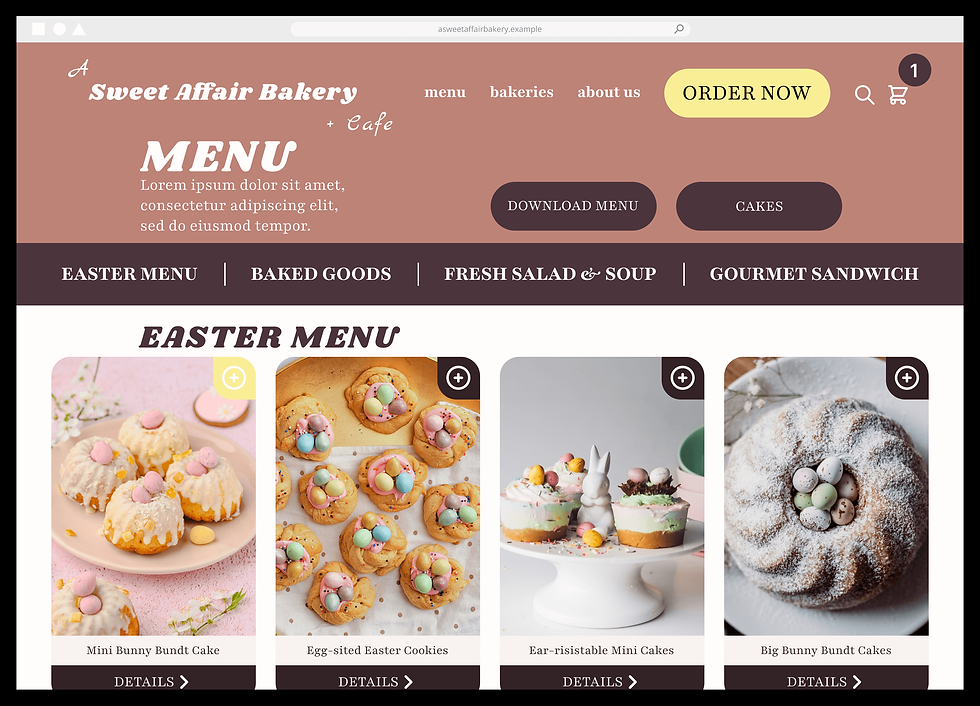
“I couldn’t order from an in-site menu.”
— User Three (Legacy Site)
Annotation
The redesign replaces the third-party menu with an in-site menu and ordering feature. During testing, users followed a more streamlined flow and two of three participants noted an improved visual experience.
Insight
— Direct Ordering Function:
ordering flow felt fragmented and unintuitive
Theme
— Users want to order straight from the menu page without clunky re-direction
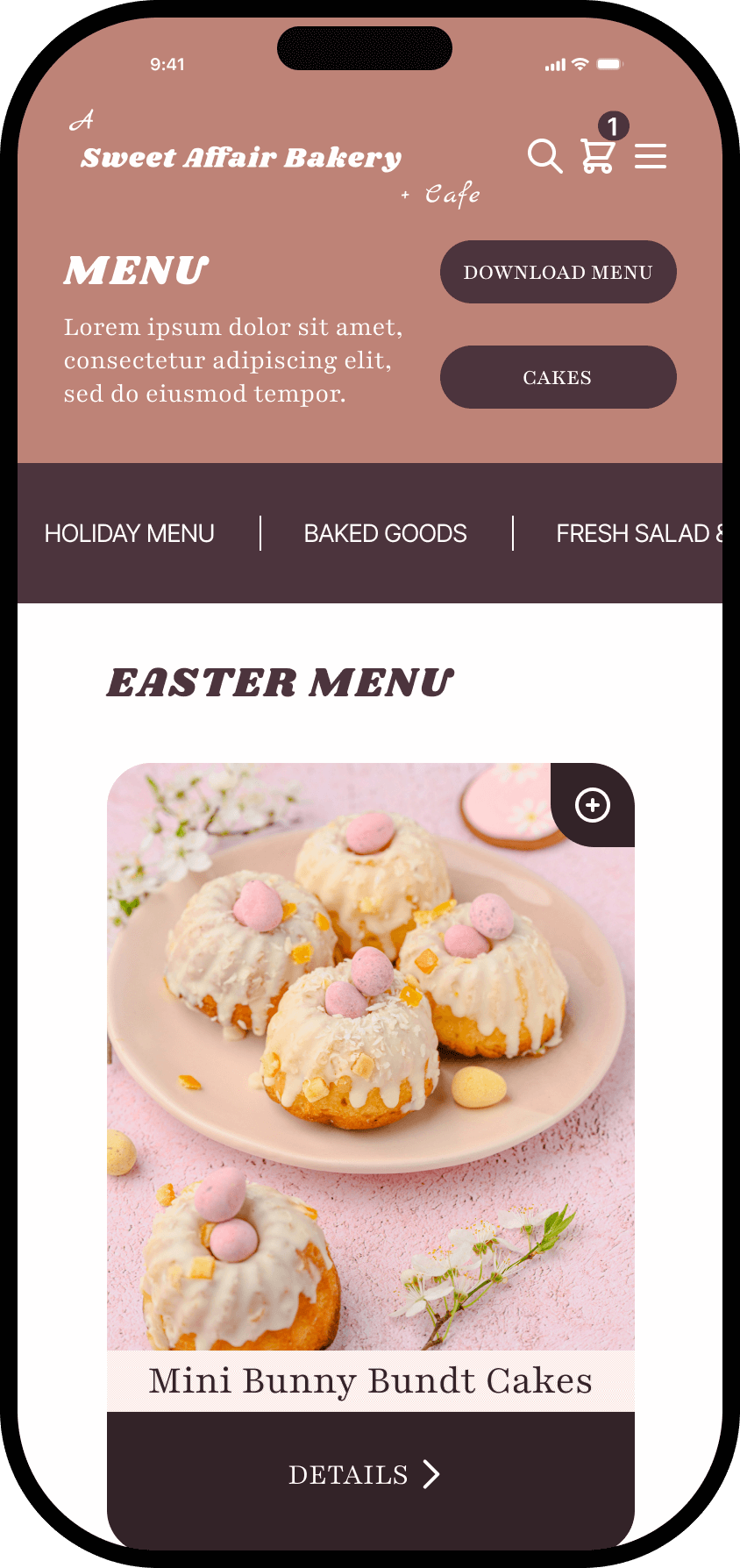
“The cake tab only shows one type of cake and it’s huge.”
— User Three (Legacy Site)
Annotation
The redesign addresses user feedback on unlabeled items, insufficient detail, and missing products in the legacy site. Every item is found on the menu, clear labels are paired with supporting imagery, and calls-to-action lead to dedicated detail pages.
Insight
— Visibility & Descriptions: menu items lacked clear labels and supporting imagery
Theme
— All menu items should be clearly listed, well-described, and include images
Item Details
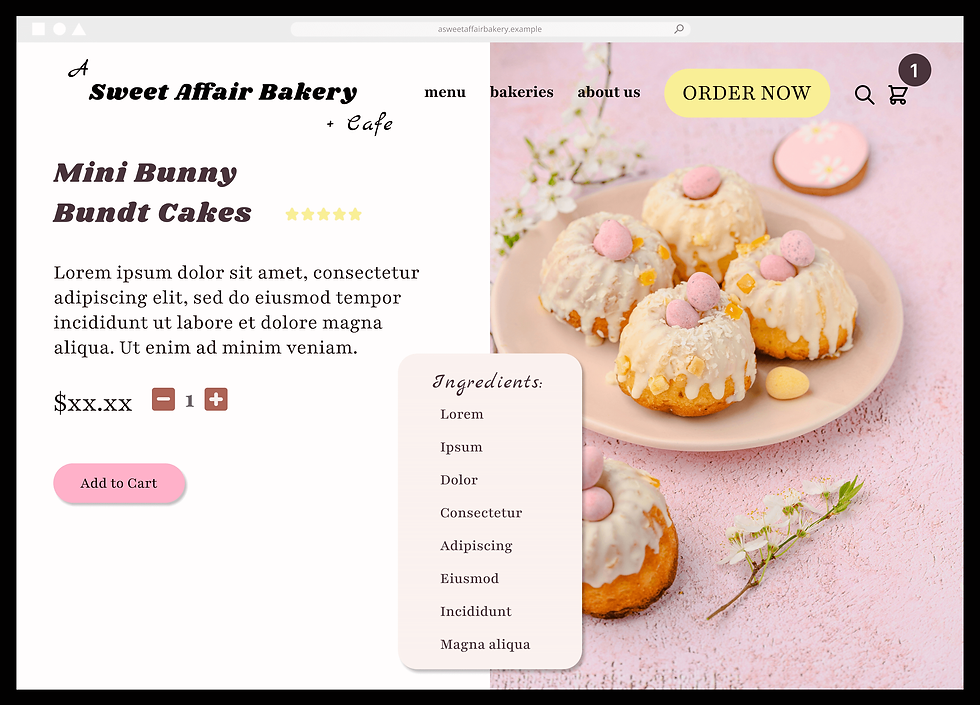
“If they have cupcakes, it should be obvious where.”
— User Two (Legacy Site)
Annotation
User feedback indicated a need for more item detail, but the redesigned menu initially offered limited space. An iteration resolved this by creating item detail pages that pair high-resolution product imagery with focused descriptions and ingredient lists.

Iteration
— Added Item Details Page
Checkout
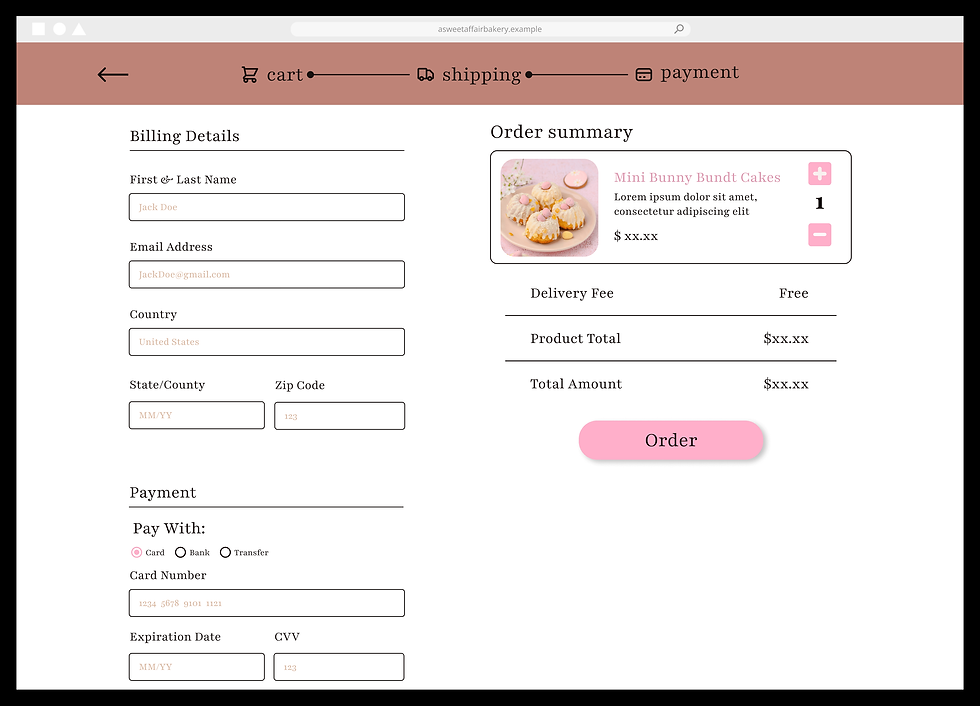
“I felt a little frustrated trying to order.”
— User One (Legacy Site)
Annotation
In the low-fidelity mobile wireframes, checkout and order summary were separate pages, creating an unnecessary extra step. In the high-fidelity mockups, an iteration merged both into a single page. This allowed users to review their order and enter details in one place, resulting in a faster checkout.
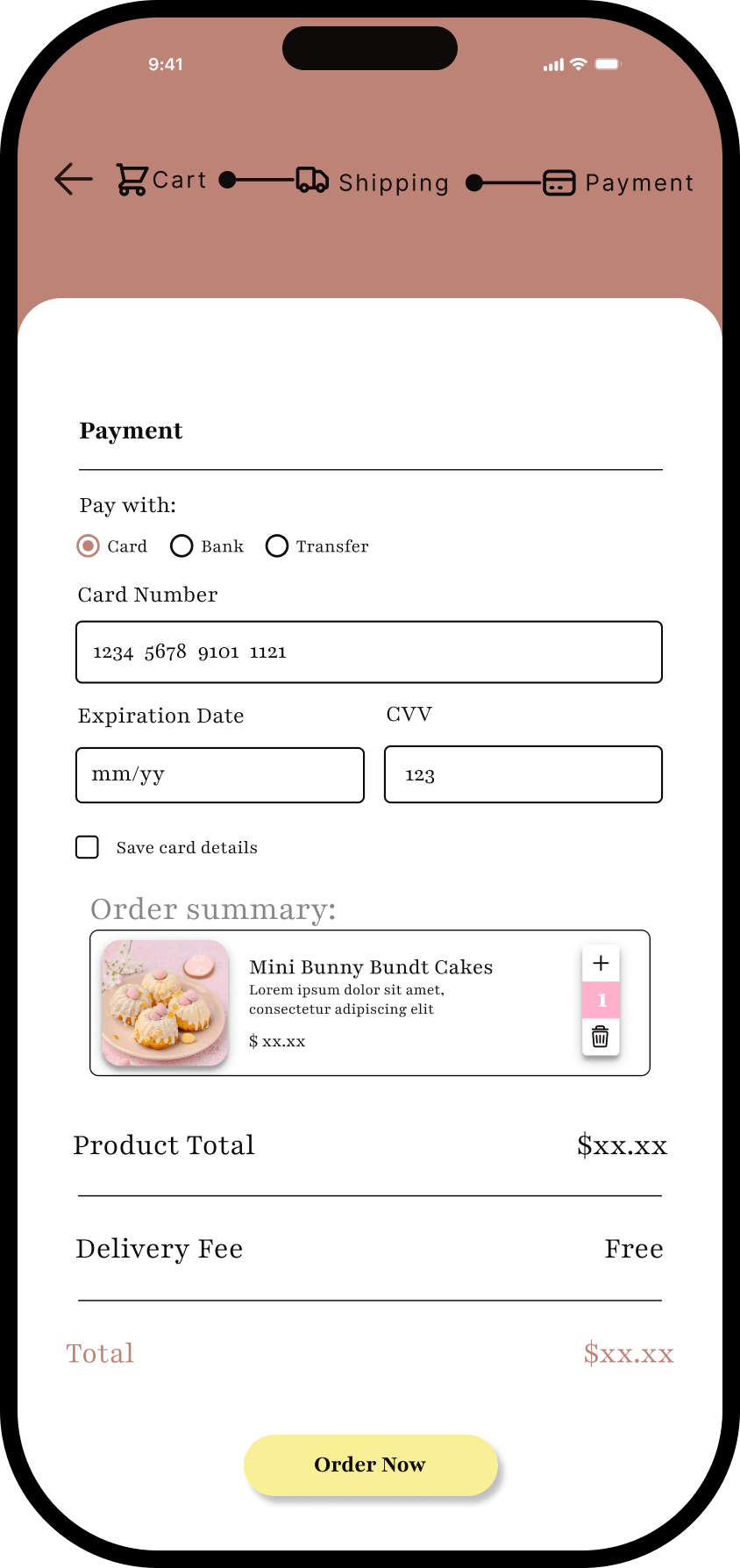
Iteration
— Combined Checkout & Order Summary Pages
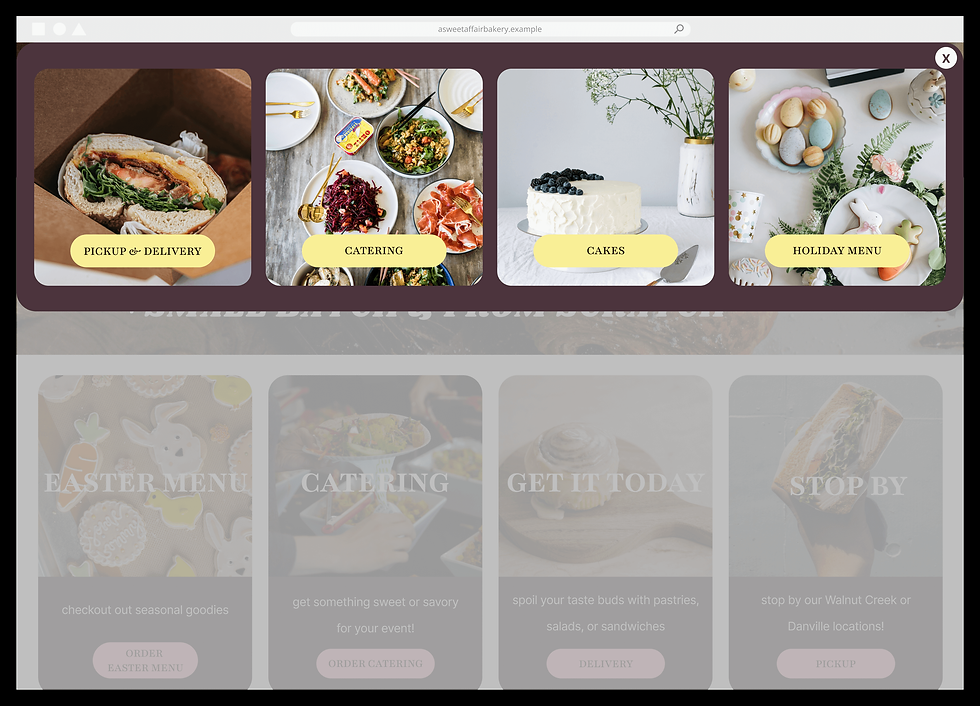
Dropdown & Modal
“I felt a little frustrated trying to order.”
— User One (Legacy Site)
Annotation
By simplifying navigation across key pathways, the redesign guides user actions, reducing friction and enabling faster task completion.

Insight
— Device-Friendly Nav:
site layout created friction and slowed task completion
Theme
— Mobile and desktop experience should be intuitive and fast for all user types
INTERACTIVE PROTOTYPE
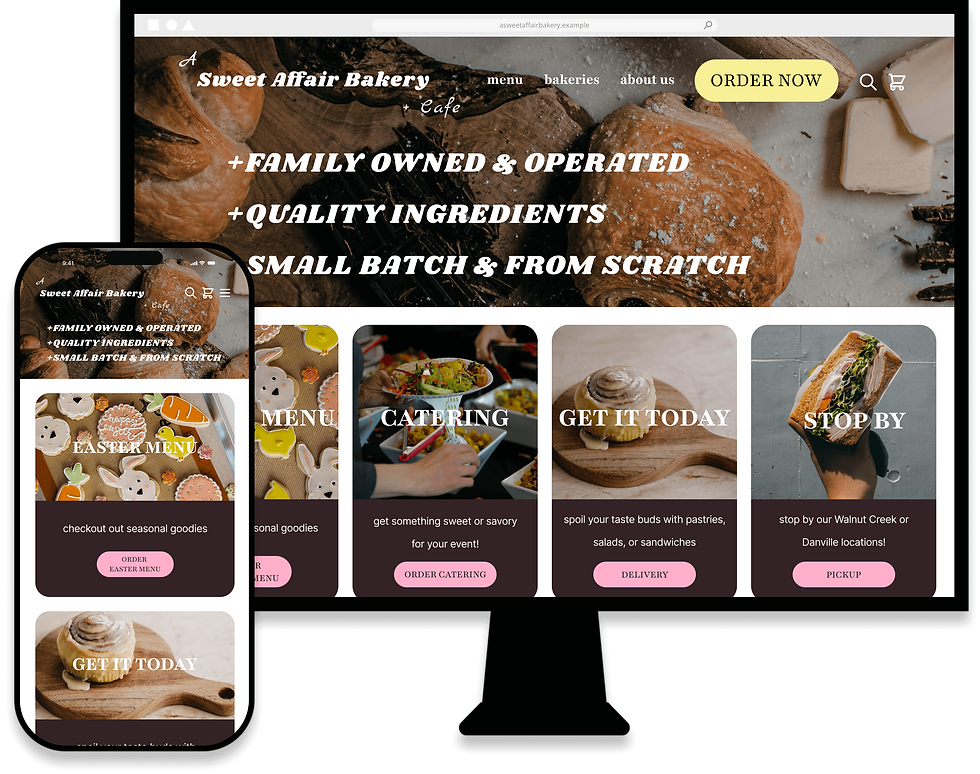
Responsive & Ready for Handoff
Summary
Interact with desktop and mobile prototypes by clicking either link below to preview in Figma (arrow animations mark key steps in user journey):
REFLECTIONS
FUTURE IMPACT AS A DESIGNER
Empathy — Design for Users
When I began this case study, many ideas came to mind — visuals, layout, and ways to make A Sweet Affair Bakery really stand out. None of those addressed the user. Early testing changed this perspective. Gathering feedback revealed how much stronger my designs could become when guided by the user. I stopped designing for myself and started designing for the people who experience the site.
Every decision, asset, and milestone was shaped by user needs — and as a result, the prototypes addressed the major issues identified, earning highly positive feedback in the process. With every future project, I’ll carry this principle with me: the user’s experience is the foundation of great design — not the designer.
Translation — Emotion in UX
A Sweet Affair Bakery’s legacy website was a blank canvas with a few bright spots. Their logo was charming, their values were strong, and their products were beloved across the Bay Area — they had all the right ingredients but their identity was still digitally lost. I had to learn how to translate a brand’s essence into a cohesive user experience using limited copy and images.
The solution was simple: structure the site around ordering, as conversion is the primary goal of any online retail experience. Emotional resonance proved most effective. Once that clicked, A Sweet Affair’s values became the foundation for a user interface that carries their handcrafted quality into the ordering experience. I’ll remember this: effective digital experiences begin with understanding a brand’s values.
WHAT WORKED
Education — Expanding My Toolkit
For this project to succeed, I had to learn a new field without formal training. While years of experience with Adobe tools made Figma approachable, UX demanded a broader toolkit: technical, research-driven, philosophical, and process-oriented.
Technical fluency came first; through Udemy, YouTube, Nielsen Norman Group, and other resources, I learned Figma from wireframes to interactive prototypes. Research followed, as usability testing defined the “why” behind design decisions. I learned to synthesize qualitative and quantitative data into actionable insights and themes. Next, my philosophy evolved through applying User-Centered Design and Design Thinking — as research defined the problems, testing challenged my assumptions, and iteration refined the solutions — correcting my instinctual design approach to designs that actually satisfy user needs. Finally, I developed a workflow system through repeated project cycles — refining process and output:
Reserch
Design
Evaluate
Iterate
UX education helped resolve core user problems. Ultimately, success came from continuous learning, skill application, and evidence-based decisions.
WHAT I'D DO DIFFERENTLY
Workflow — Saving Editions
I would preserve key milestones of high-fidelity mockups to better demonstrate visual iteration rather than relying on explanation.
Variants — Advanced Learning
I would explore advanced use of Figma variants earlier in the project to streamline interactions and improve workflow efficiency.
Content — Integrating Copy
I would replace placeholder text with product copy, informed by spec ads designed for the moodboard, to enable user feedback on messaging and conversion.